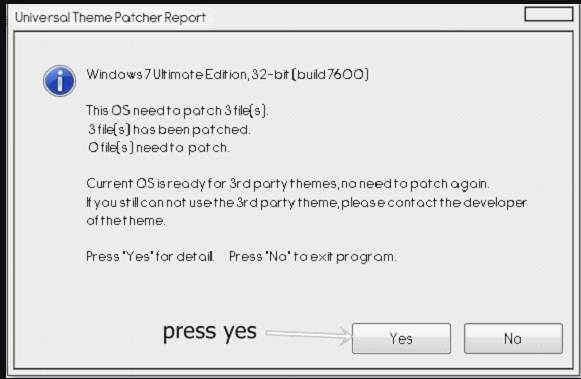
HOW TO SET THEMES (at first patch ur windows 7 themes by UNIVERSAL THEME PATCHER to use these themes ,windows 7 patch instruction download link : http://extremewin.blogspot.com/2011/04/universal-theme-patcher-instructions.html )
this is just an example.all theme files folder name and number of files wont be but same instructions for all theme.just try to use ur brain ,hope u will understand personalization
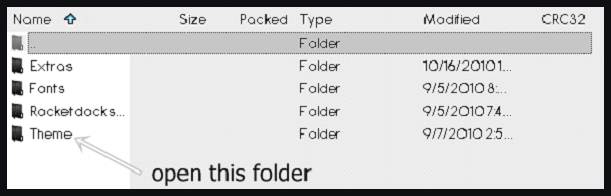
1. 1st download a theme any link and extract theme file to any location.after extracting theme file if u see some files like this :
there is no .exe file to install theme.simply open theme folder
2. After opening theme folder u will see files like this:
a.windows theme file
b.windows theme folder
3. copy theme file + folder that meanz both files and paste these files to C DRIVE>WINDOWS>RESOURCES>THEMES like my snap :
4.now simply go to personalization menu and u will see ur theme :) click on theme to set
Enjoy EXTREME THEMES
EXCEPTION:
>>if u find any .exe file in theme folder like my snap:
double click to install this type files
>>if u find any 7tsp named file in theme folder like my snap:
u hav install this type files by 7TSP software .PLEASE DONT EXTRACT THIS TYPE RAR FILES(if u dont know how to use 7tsp software ,download 7tsp instruction from this link : http://extremewin.blogspot.com/2011/04/7sp7-theme-source-patcher-instructions.html)


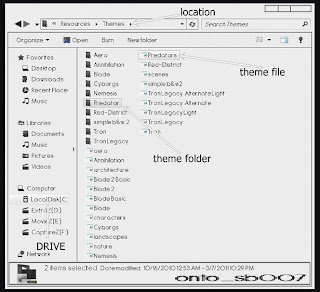


this is just an example.all theme files folder name and number of files wont be but same instructions for all theme.just try to use ur brain ,hope u will understand personalization
1. 1st download a theme any link and extract theme file to any location.after extracting theme file if u see some files like this :
there is no .exe file to install theme.simply open theme folder
2. After opening theme folder u will see files like this:
a.windows theme file
b.windows theme folder
3. copy theme file + folder that meanz both files and paste these files to C DRIVE>WINDOWS>RESOURCES>THEMES like my snap :
4.now simply go to personalization menu and u will see ur theme :) click on theme to set
Enjoy EXTREME THEMES
EXCEPTION:
>>if u find any .exe file in theme folder like my snap:
double click to install this type files
>>if u find any 7tsp named file in theme folder like my snap:
u hav install this type files by 7TSP software .PLEASE DONT EXTRACT THIS TYPE RAR FILES(if u dont know how to use 7tsp software ,download 7tsp instruction from this link : http://extremewin.blogspot.com/2011/04/7sp7-theme-source-patcher-instructions.html)